


OpenAI started rolling out locked chats in ChatGPT on Tuesday, October 20, letting users pull selected conversations out of their history and open them only with a 4-digit PIN or their phone’s biometrics. The feature covers every plan from Free to Enterprise, and it controls what shows on screen while storage and retention stay exactly as they were.
Key Takeaways
- A locked conversation leaves the regular history, pinned chats and search, and moves into a separate folder that asks for a PIN.
- Locked chats are available on Free, Go, Plus, Pro, Business, Enterprise and Edu, with a gradual rollout.
- Resetting a forgotten PIN permanently deletes every locked conversation, and OpenAI Support cannot bring any of it back.
Have an AI Sum Up This Article
ChatGPTHow ChatGPT locked chats work, from menu to PIN
OpenAI walks through the mechanics in its help article on using locked chats in ChatGPT. A chosen conversation disappears from the sidebar history, from pinned chats and from regular search, then lands in a folder called Locked chats under Projects.
Locking an existing thread takes four steps. Open the chat’s more options menu, select Lock chat, confirm, then create or enter the PIN. It can take a moment before the conversation drops out of search results.
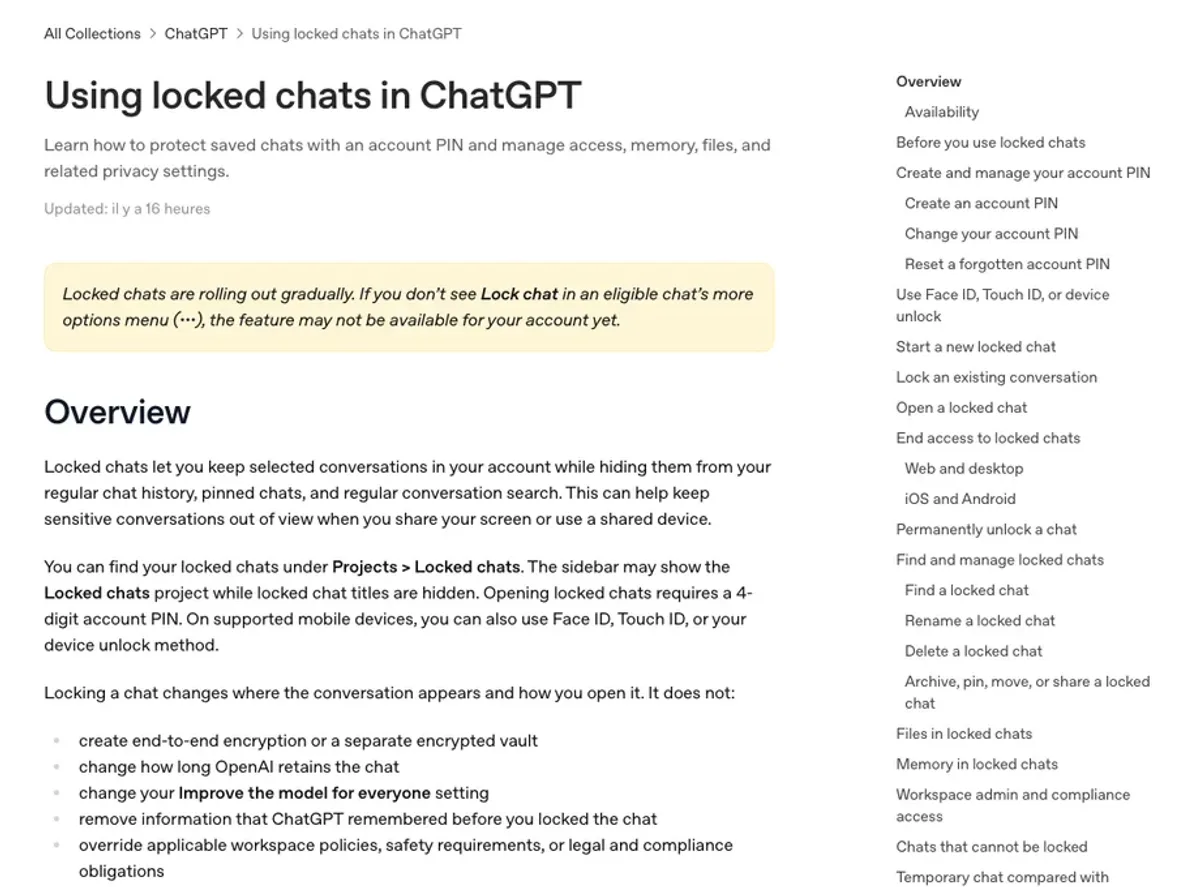
The PIN belongs to the OpenAI account itself, so the same four digits work on every device signed in to that account. On iOS, Face ID or Touch ID can stand in for it, and Android users can rely on their usual device unlock method.
OpenAI frames the use case plainly: keeping sensitive conversations out of view when you share your screen or a device. That need keeps growing as the assistant reaches into personal data, now that ChatGPT Voice reads your email and manages your calendar.
Access closes quickly. On mobile, it ends after one minute away from locked chats or one minute with the app in the background. On the web, refreshing the page, closing the tab or stepping away from it is enough, and any new tab asks for the PIN again.

What the lock leaves untouched: storage, memory and admin access
OpenAI spells out the limits clearly. Locking a chat leaves the data stored and kept as before: encryption, OpenAI’s retention period and the “Improve the model for everyone” setting all stay exactly where they were. The protection works at the interface level.
Company rules stay in force as well, including for teams on the $125 Premium seat on ChatGPT Business. In Enterprise and Edu workspaces, locked chats remain in the conversation logs available through the OpenAI Compliance Platform. Admins, for their part, cannot switch the feature off, unlock a user’s chats or reset someone’s PIN.
Memory gets its own walled garden. A locked conversation can draw on regular ChatGPT memory, and anything it learns after the lock is reused only by other locked chats. What ChatGPT remembered before the lock stays put, and memories created while a chat was locked are not automatically added to regular memory after a permanent unlock.
The PIN is where the real risk sits. Resetting a forgotten PIN permanently deletes all locked chats, along with memories stored only inside them and files protected only by the old PIN. The action cannot be undone, OpenAI Support cannot recover the content, and too many wrong attempts temporarily disable access.
Several conversation types stay outside the feature. Temporary, archived and group chats cannot be locked, and the same goes for chats created from a shared link, chats with scheduled tasks, background tasks or meeting recordings. Shared links are a real exposure point, as this summer showed when Claude shared chats got indexed by Google.
Once locked, a conversation can no longer be archived, pinned, moved or shared, and anyone who can open it can still copy what it says. In the new ChatGPT desktop app for macOS and Windows, Codex conversations and local Work conversations cannot be locked either.
More articles on Horizon
- Odyssey-3 Builds a World You Can Explore From One Sentence
- Meta Launches Muse Wonder, an AI Model That Remembers You
- ChatGPT Watermark Comes to Every Answer in the EU
A messaging app habit lands in an AI assistant
The idea comes straight from messaging. WhatsApp shipped Chat Lock, which tucks intimate conversations into a folder opened with the phone’s password or biometrics, back in May 2023. OpenAI applies the same hidden folder logic, with a PIN tied to the OpenAI account.
For teams, the gain is practical. Files uploaded or created inside locked chats stay hidden from Space, ChatGPT’s file area, and cannot be opened from other conversations. A chat that came from a project leaves that project once locked and stops using its instructions, files and memory.
Business plans being part of the launch matters for buyers. Companies paying for team seats now have a way to keep screens discreet while their existing data access policies stay in place.
Rival assistants now face a clearer benchmark on privacy at the screen level. The more health, money and work conversations an assistant holds, the more discretion turns into a selling point. OpenAI also notes that ads, where they run, can appear inside locked chats too.
Background tasks remain the blind spot of this first version, at a time when OpenAI is pushing Dots, its always-on ChatGPT agents. The rollout is gradual: if Lock chat is missing from a conversation’s menu, the feature has not reached that account yet.
Follow the story on Horizon.